
"Certificate" Template Type
"Certificate" templates are fully customized in terms of content, data, and design by our team in collaboration with you. In addition to the actions available for all certificate types, "Certificate" templates benefit from specific features:
Reference Table
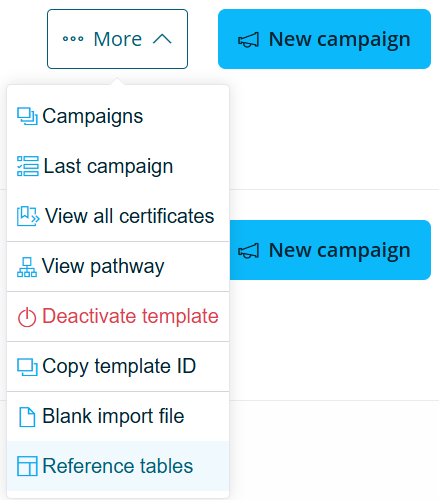
You can manage your reference tables directly from your BCdiploma back-office. To access this feature, go to your template and, from the "More" dropdown menu, click on "Reference tables".
Tips
The reference table modification feature is only accessible to solution administrators. Additionally, this feature is not enabled by default on all templates. If you would like it activated for one of your templates, please contact support.
Once the reference table page is open, click the edit button in the top right corner to access the modification options.
Two actions are available:
1. Edit an existing value
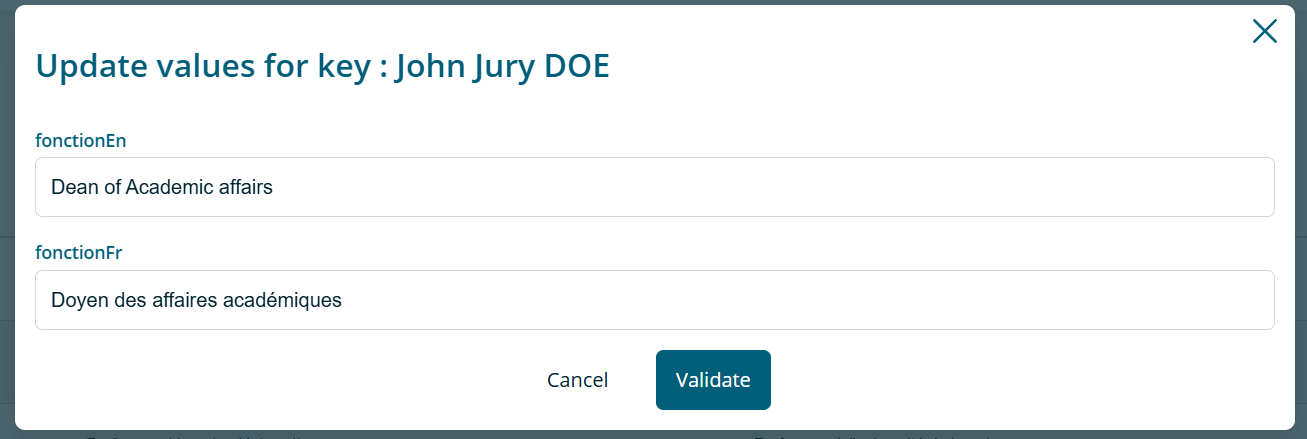
This feature allows you to update the value of an existing entry in the reference table. Select the entry you wish to modify to open the edit form.
Caution
Modifying a value in a reference table will update all previously issued certificates based on that reference key.
2. Add a new value
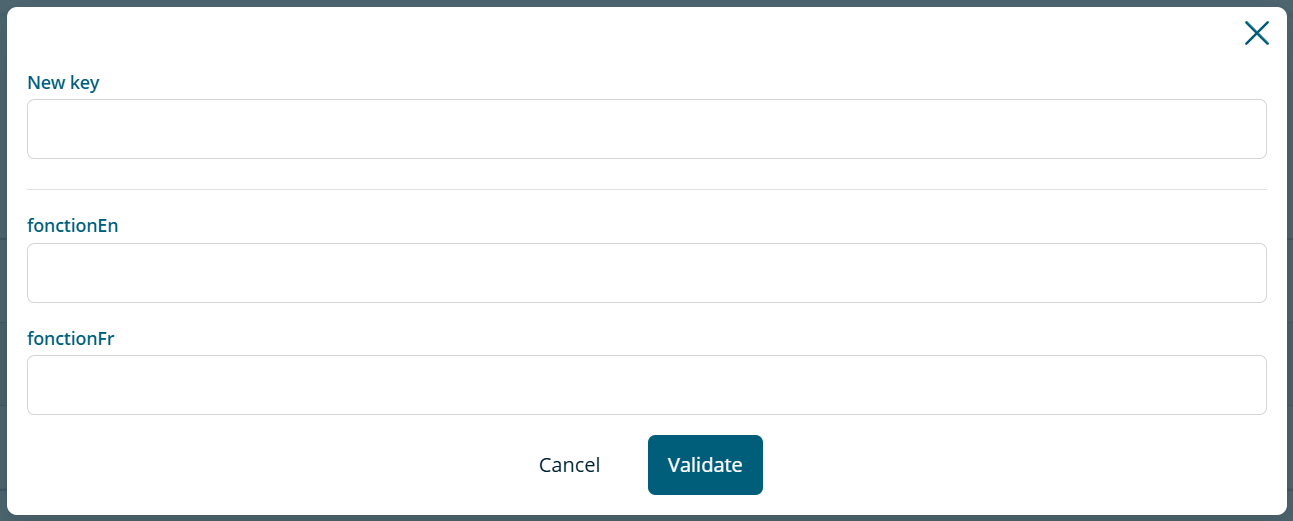
This feature allows you to create a new entry in the reference table. You must enter the key (which will be used in your import file when creating campaigns), along with the associated values for the available fields in the table.
Warning
Reference table modifications can only apply to text data. If your reference table contains files (images, logos, signatures), please contact your project manager, who can integrate this data directly into your template.
Seed Templates and Duplication
Fully customized certificate templates offer the ability to be duplicable. In this case, we speak of seed templates (also called "source templates"). This feature allows you to have a large number of variations of the same template.
Key Concepts
Seed template (source): A seed template is a template that has been marked as a duplication source. Seed templates cannot be directly modified, but can be duplicated to create independent copies. Seed templates share a unique visual template with all their duplicates.
Duplicated template: A duplication creates an independent copy of a seed template or a duplicated template. Duplicated templates are complete and autonomous copies: there is no inheritance between the seed template and its duplicates. Duplicates can be freely modified.
Use Cases
Seed templates are particularly useful for:
- Creating multiple variations of a template with the same layout and data structure but with different texts, logos, or signatures
- Offering a variety of certificates based on the same graphic design
- Facilitating the management of multiple versions of the same certificate type
Modification and Impact
Warning
Duplicates created from seed templates are not affected by subsequent modifications to the seed template (no inheritance).
Similarly, modifying a duplicated template only affects that specific template. Other duplicates of the same seed template are not impacted.
However, all previously issued certificates with a given template will be impacted by modifications to that template.
Variable Fields and Customization
The variable fields of the data model (data structure) cannot be modified on duplicates: you cannot add, delete, or change the order of fields. However, you can:
- Modify the texts associated with fields
- Modify images and logos
- Add or modify signatures
Permissions
Administrators and managers can:
- Create and duplicate seed templates
- Modify duplicated templates
- Duplicate duplicated templates
Pathway Management
You can create and view a pathway associated with your template if you have this feature.